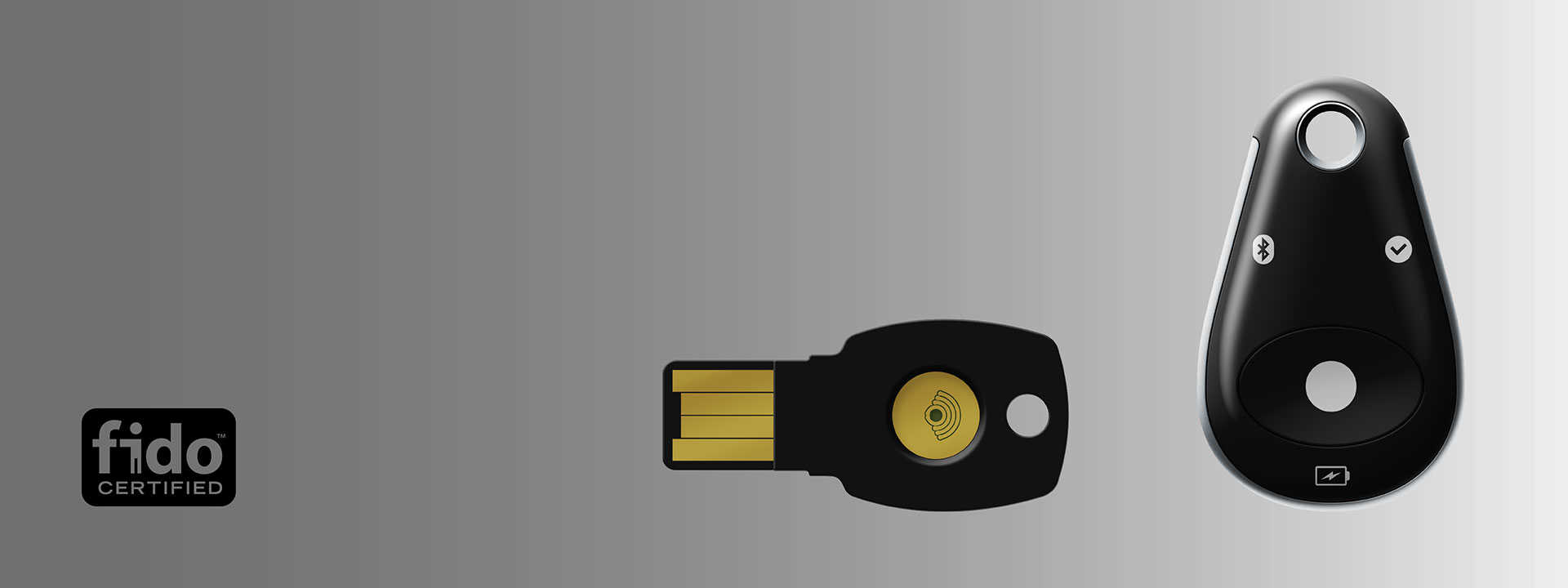
Introducing FEITIAN FIDO Security Key
FEITIAN FIDO Security Keys are Universal 2nd Factor (U2F) security keys certified by FIDO Alliance. The keys are compliant with the WebAuthN protocol providing the user with a seamless Multi-Factor Authentication (MFA) experience.
ePass FIDO® -NFC
The ePass FIDO® -NFC is an NFC compatible FIDO U2F security key allowing for authentication when the token is brought into close proximity with the reader.
MultiPass FIDO®
The MultiPass FIDO® supports FIDO U2F authentication across USB, NFC, and Bluetooth enabling authentication through a broad range of devices.
Features
Phishing-resistant 2FA
FEITIAN FIDO Security Keys provide cryptographic proof that users are interacting with the legitimate service that they originally registered their security key with, and that they are in possession of their security key.
Tamper-resistant hardware
A hardware chip helps to verify that the keys haven’t been tampered with. The hardware chips are designed to resist physical attacks aimed at extracting firmware and secret key material.
Growing app ecosystem
FEITIAN FIDO Security Keys can be used to authenticate to Google and many other services that support FIDO standards.
Broad browser support
FEITIAN FIDO Security Keys are compatible with browsers that support FIDO standards, and are available in two form factors (USB / NFC and USB / NFC / Bluetooth).
Compatibility
PC
Compatible with computer which is equipped with USB port and running the latest version of a W3C Web Authentication supported browser:




Android
Compatible with Android 5.0 or higher device that have the latest version of Google Play Services installed.

iOS
Compatible with iPhone and iPad running on iOS6 and above. Google Smart Lock app from the App Store is required.

Using Guide
Provisioning FIDO U2F Security Key
Note: Registration must be done from a non-mobile device on a supported browser. Once registered, the security key can be used to authenticate on mobile devices.

Login to your account of a WebAuthN supporting website
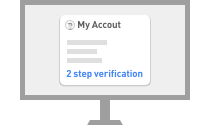
Find 2 step verification in your account settings
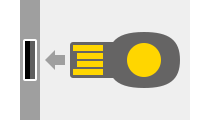
Plug in your FIDO Security Key into the USB port

Click or touch the button on your FIDO Security key when the LED blinks
Authenticating with FIDO® U2F Security Key
Note: Registration must be done from a non-mobile device on a supported browser. Once registered, the security key can be used to authenticate on mobile devices.

Log in to your account via WebAuthN supported web browser on a computer
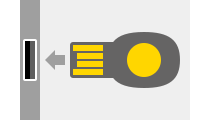
Plug in your FIDO Security Key when prompted

Click or touch the button on your FIDO Security key when the LED blinks
FAQ
How can I pair MultiPass FIDO® Security Key with my iPhone?
iPhone does not allow the Security Key to be paired with the phone on the Bluetooth settings page. To pair the Security Key, download the “Smart Lock” application from the App Store and follow the in-app instructions.
Can I use MultiPass FIDO® Security Key on PC over Bluetooth?
Bluetooth is not compatible with the HID interface which is utilized in most FIDO(R)® U2F PC applications. A U2F Bluetooth adapter is currently in development which will allow for PC Bluetooth authentication.
How long is the battery life?
MultiPass FIDO® Security Key can be used for around 2 months for each full charging. (Assuming using Bluetooth authenticator 5 times a day)
What if I lose my Security Key?
Different applications provide different solutions for key recovery. The most common method used as alternative 2-step verification method is a SMS One Time Password (OTP). Check with your service provider about the security key recovery methods.
Can I manipulate the JAVA Smart Card inside FIDO® Security Key?
The standard product does not allow aftermarket modification on the JAVA Smart Card. Contact FEITIAN for a customized application.
Why is my Security Key is not working properly in Linux?
In Linux, you must install rules for using FEITIAN FIDO Security keys which can be done via the following steps:
1. Download “70-u2f.rules”.
2. Copy the downloaded file into /etc/udev/rules.d/ (You may need to use sudo mode).
3. Restart the system
Safety and Warranty Info
ePass FIDO® -NFC

Model: ePass FIDO® -NFC
Manufacture: FEITIAN Technologies Co., Ltd.
Input: 5V⎓22mA

Any Changes or modifications not expressly approved by the party responsible for compliance could void the user’s authority to operate the equipment. This device complies with part 15 of the FCC Rules.Operation is subject to the following two conditions:
(1)This device maynot cause harmful interference, and
(2)This device must accept any interference received, including interference that may cause undesired operation.

CAN ICES-3(B)/NMB-3(B)
This device complies with Innovation, Science and Economic Development Canada incense-exempt RSS standard(s). Operation is subject to the following two conditions: (1) this device may not cause interference, and (2) this device must accept any interference, including interference that may cause undesired operation of the device.


MultiPass FIDO®

Model: ePass FIDO® -NFC
Manufacture: FEITIAN Technologies Co., Ltd.
Input: 5V⎓22mA

FCC ID: ZD3FTMULTIPASS K13
Any Changes or modifications not expressly approved by the party responsible for compliance could void the user’s authority to operate the equipment. This device complies with part 15 of the FCC Rules.Operation is subject to the following two conditions:
(1)This device maynot cause harmful interference, and
(2)This device must accept any interference received, including interference that may cause undesired operation.

CAN ICES-3(B)/NMB-3(B)
IC: 24522-M131
This device complies with Innovation, Science and Economic Development Canada incense-exempt RSS standard(s). Operation is subject to the following two conditions: (1) this device may not cause interference, and (2) this device must accept any interference, including interference that may cause undesired operation of the device.

R-CMM-FTc-60950CCR
해당 무선설비는 운용 중 전파혼신 가능성이 있음
해당 무선설비는 전파혼신 가능 성이 있으므로 인명안전과 관련된 서비스는 할 수 없음

CCAO18LP0290T1
第十二條
經型式認證合格之低功率射頻電機,非經許可,公司、商號或使用者均不得擅自變更頻率、加大功率或變更原設計之特性及功能。
第十四條
低功率射頻電機之使用不得影響飛航安全及干擾合法通信;經發現有干擾現象時,應立即停用,並改善至無干擾時方得繼續使用。
前項合法通信,指依電信法規定作業之無線電通信。
低功率射頻電機須忍受合法通信或工業、科學及醫療用電波輻射性電機設備之干擾。
Article 12
Without permission granted by the NCC, any company, enterprise, or user is not allowed to change frequency, enhance transmitting power or alter original characteristic as well as performance to an approved low power radio-frequency devices.
Article 14
The low power radio‐frequency devices shall not influence aircraft security and interfere legal communications; If found, the user shall cease operating immediately until no interference is achieved.
The said legal communications means radio communications is operated in compliance with the Telecommunications Act.
The low power radio-frequency devices must be susceptible with the interference from legal communications or ISM radio wave radiated devices.

Model: MultiPass FIDO®
Manufacture: FEITIAN Technologies Co., Ltd.
Address: Tower B, Huizhi Mansion, No.9 Xueqing Road, Haidian District, 100085 Beijing, China
Input: 5V⎓65mA

211-180908


 京公网安备11010802041806号